
Driver Installation on MAC Operating System
PROXkey Token has fully supported for all types of MAC operating systems. Refer to the following steps for the installation of ProxKey drivers on MAC.
Before installing PROXkey drivers, install the java on your system using the link provided for all types of MAC chipsets.( Note – Kindly don’t install macOS ARM64 )
Java Link :- https://www.java.com/en/download/manual.jsp
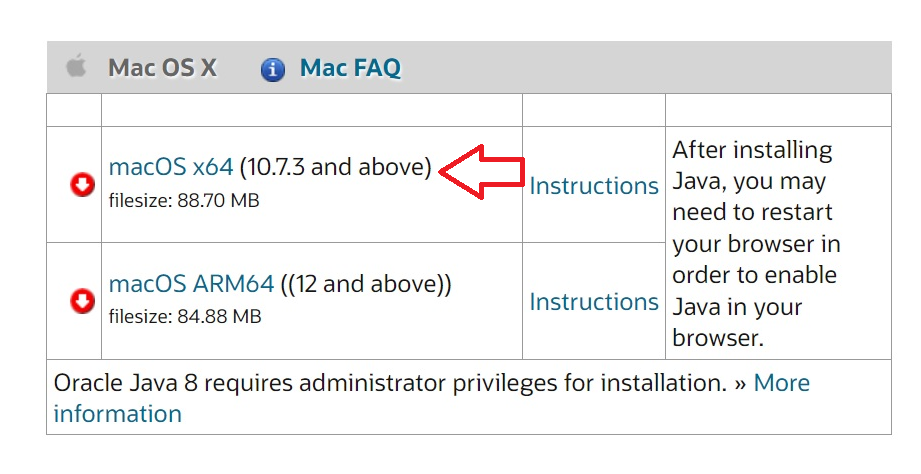
- Download ProxKey token driver from the link: Apple, Mac OS, https://support.cryptoplanet.in/downloads.php
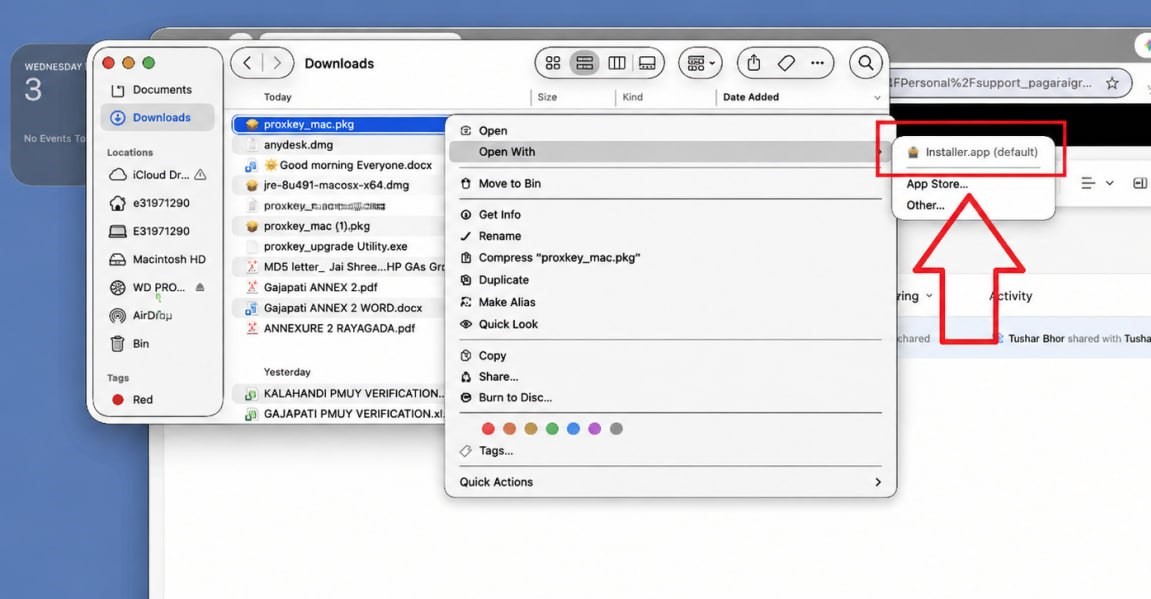
- After downloading, double click or right click on ‘ProxKey_Mac.pkg’ for the setup and select open with the installer .
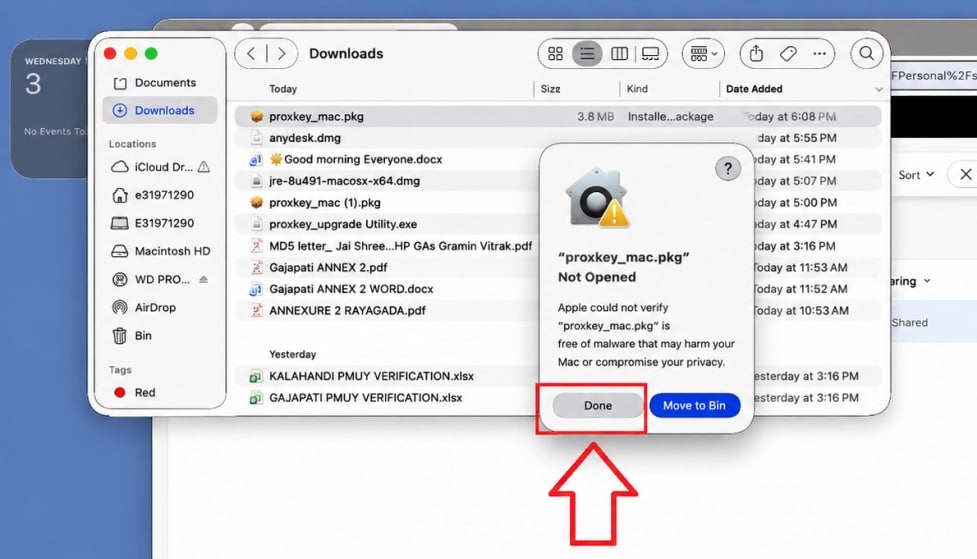
- Click on Done
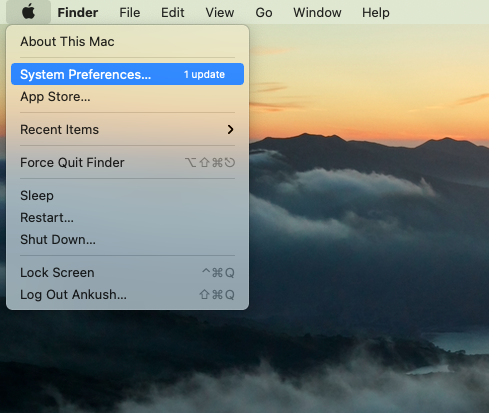
- Kindly click on the Apple symbol located in the top-left corner or open ‘System Preferences’ at the bottom.
- Now select ‘Privacy & Security’, Then go to security section, and click on ‘Open Anyway’.
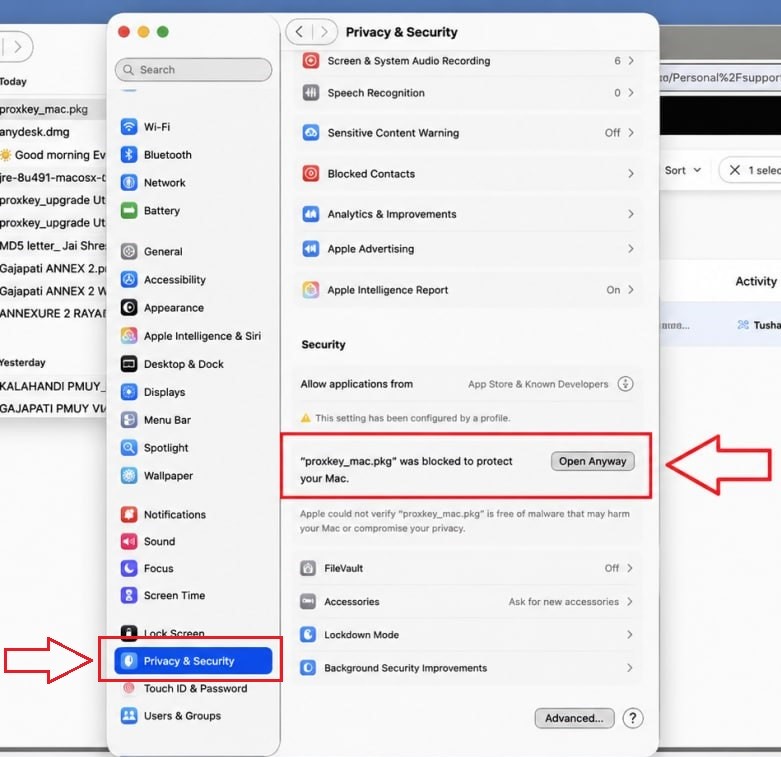
- To begin the software installation process, a pop up will appear, just click on ‘Open Anyway’ again.
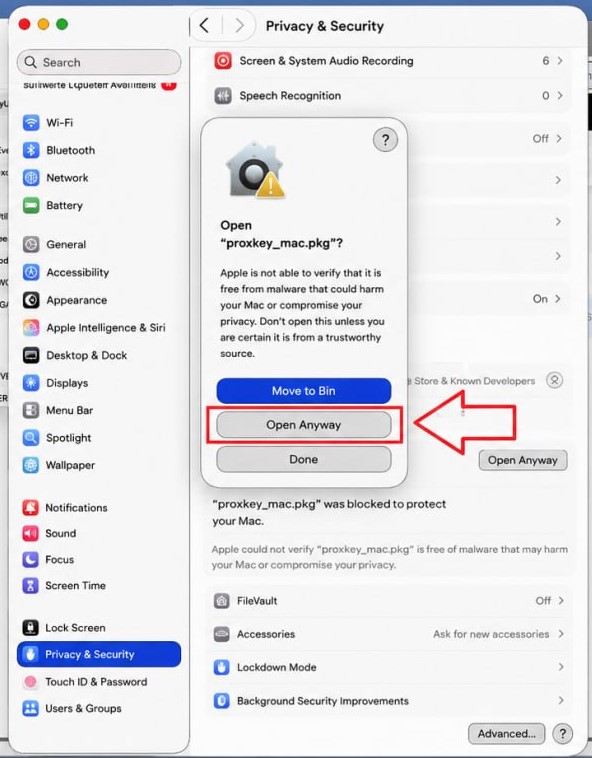
- Click on Continue.

- Enter Proxkey in the search bar and launch the Proxkey Token Tool.
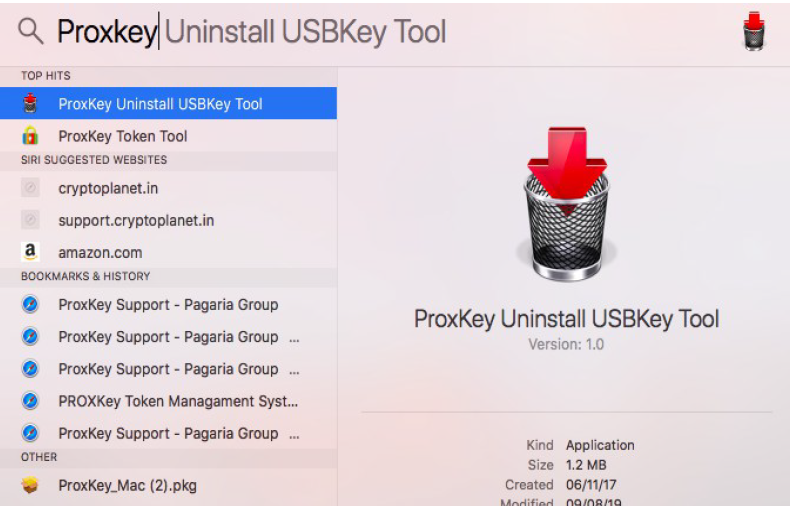
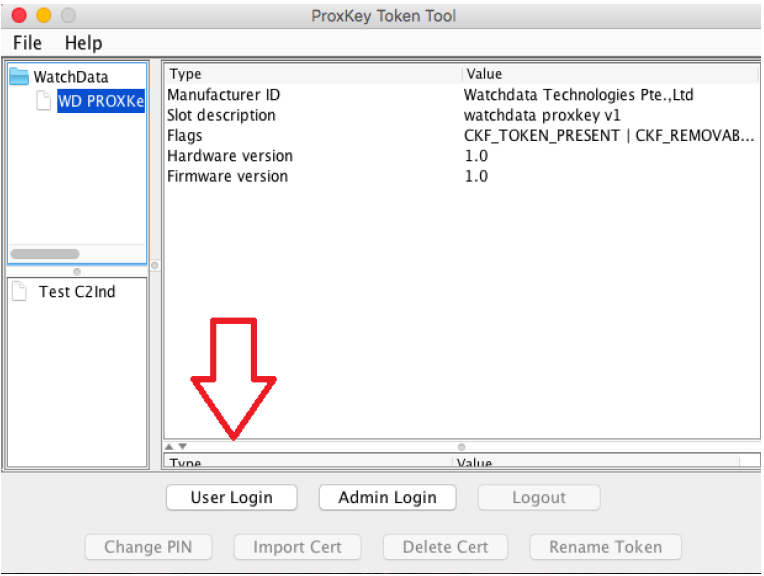
- Open the ProxKey Token Tool and click on User Login. If you are unable to view this, please install Java on your MAC.
Article for Digital Signature On MAC Using Adobe DC :- https://knowledge.cryptoplanet.in/article/digital-signature-on-mac-using-adobe-dc/
