
PDF Sign on MAC Operating System
This article explains how to digitally sign a PDF document on macOS using Adobe Acrobat DC and a WD PROXKey USB Token.
Digital signatures help ensure the authenticity and integrity of electronic documents and are commonly used for signing invoices, agreements, contracts, and other important documents.
Before proceeding, ensure that the following prerequisites are completed:
- WD PROXKey Token Driver is installed.
- Adobe Acrobat DC is installed on your Mac.
- The USB Token is connected to the system.
- A valid Digital Signature Certificate (DSC) is available in the token.
- Token middleware is installed and functioning correctly.
The required software and components are listed below.
| Technical Specification | Details |
|---|---|
| Watchdata PROXKey Latest Driver | Download Token Driver |
| Java Latest Version | Download Java |
| Adobe Reader | Download Adobe |
Follow the steps below to digitally sign a PDF document using your WD PROXKey Token and Adobe Acrobat DC.
Step – 1 : Setting for Adobe DC
- Please open the Watchdata PROXKey tool and log in with your credentials.
![]()
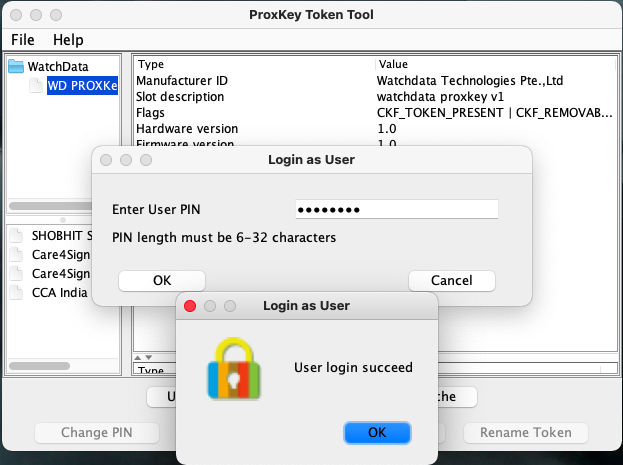
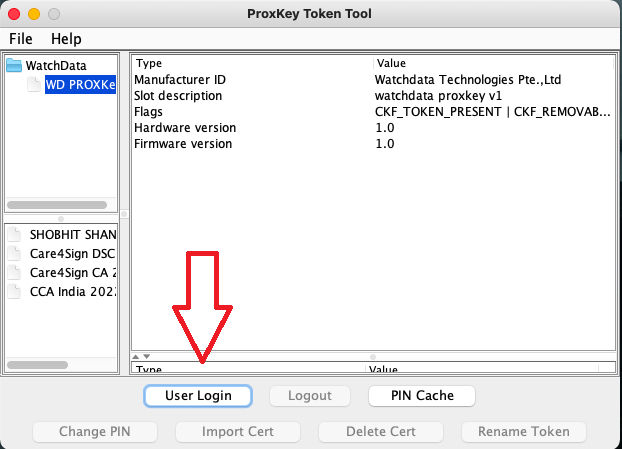
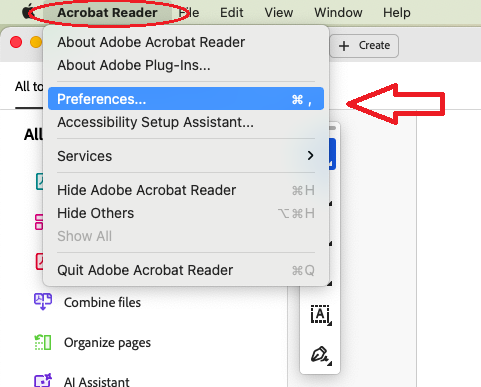
After successfully logging in the WD PROXKey token tool, please open the pdf file in Adobe DC and click on Acrobat Reader and Go to Preferences…
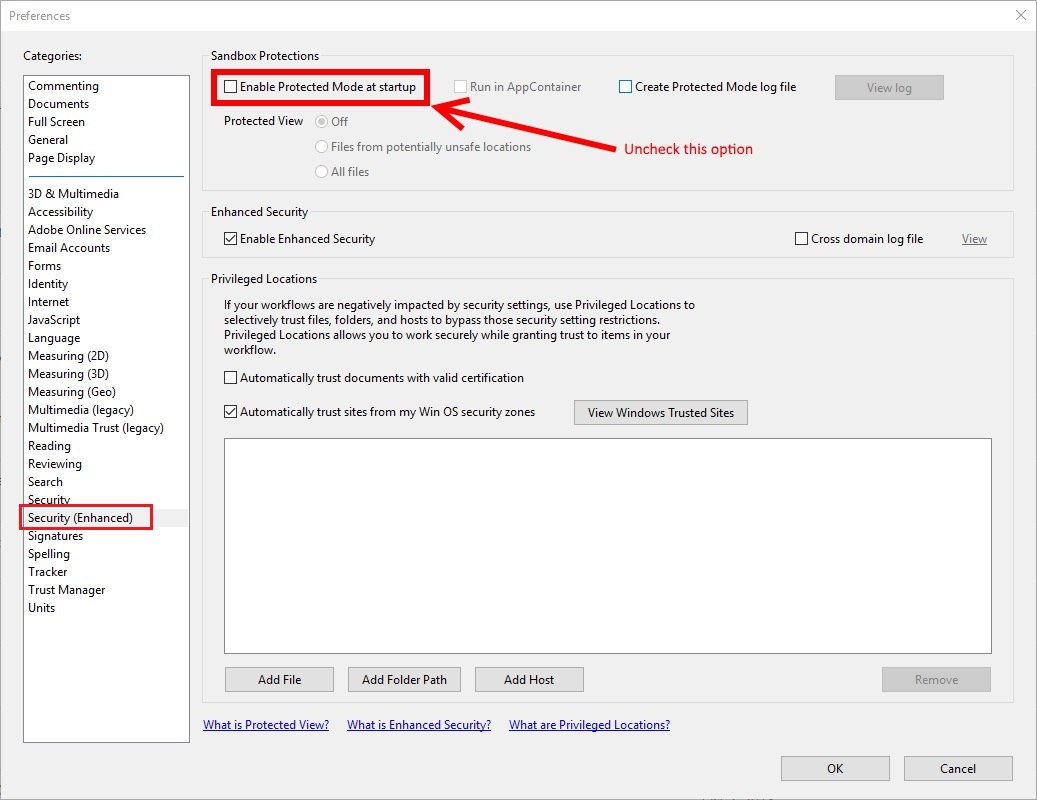
Click on Security ( Enhanced ) and Uncheck the Enbale Protected Mode at startup as per the below image . After the uncheck kindly restart your laptop and again open same page .
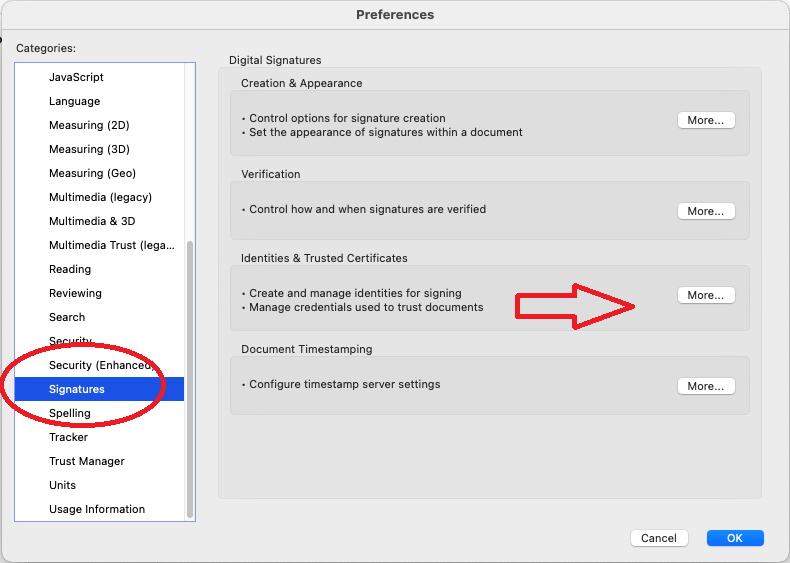
Click on signatures and Identities & Trusted Certificates .
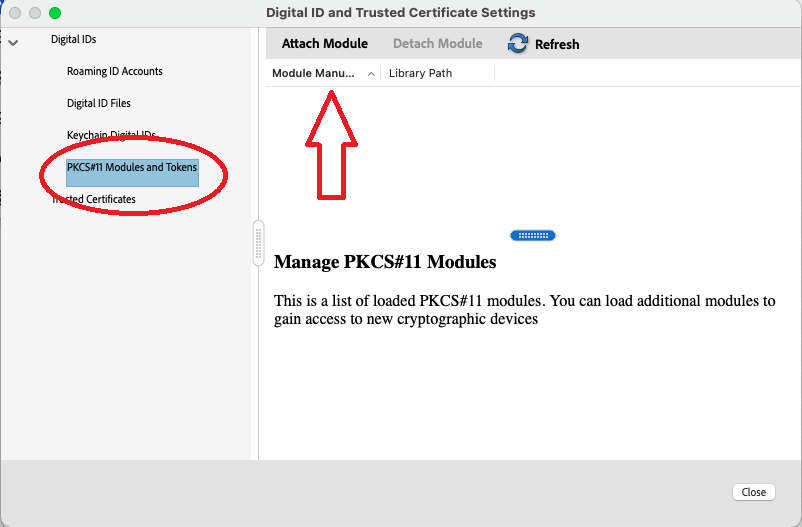
Click on “PKCS#11 Modules and Tokens” and click on Attach Module and copy paste below path /usr/local/lib/wdProxKeyUsbKeyTool/libwdpkcs_Proxkey.dylib
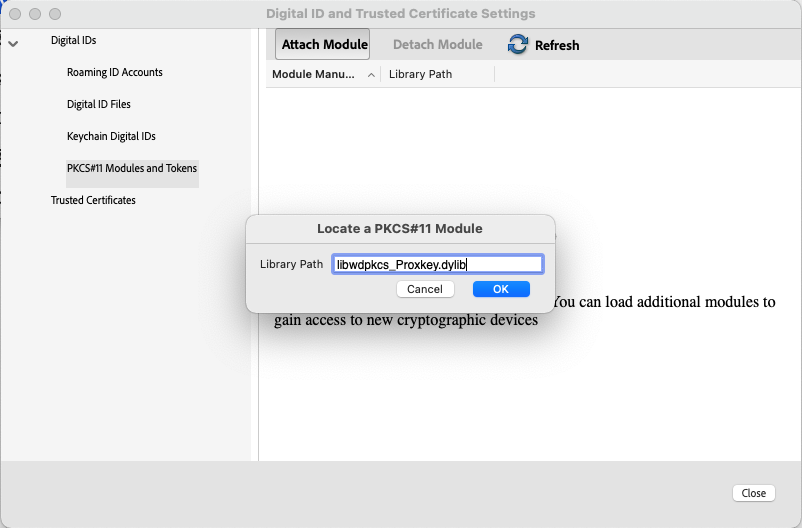
After paste the path click on ok .
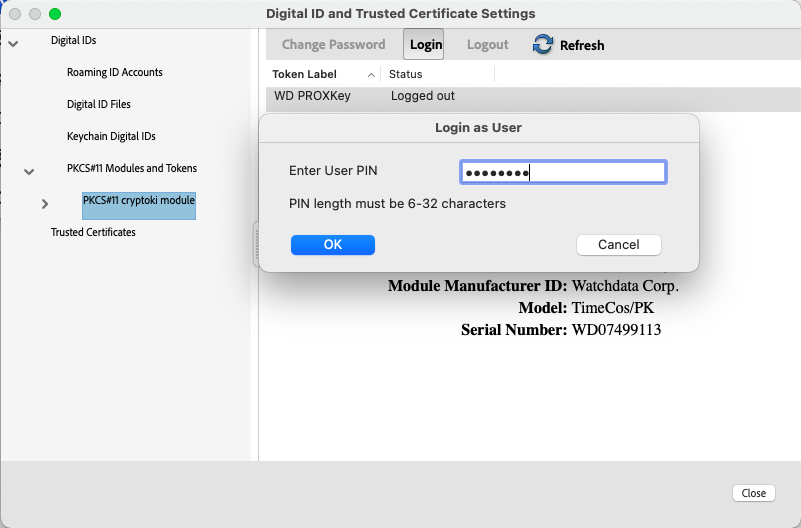
After successfully attaching the module click on “PKCS#11 cryptoki module” and Click on Login and enter token PIN
Step 2 – Digitally Sign PDF File
Open the pdf file where you want to attach digital signature.
Click the All Tools option on the top left side, then View More in the All Tools column on the bottom, and finally Use a certificate.
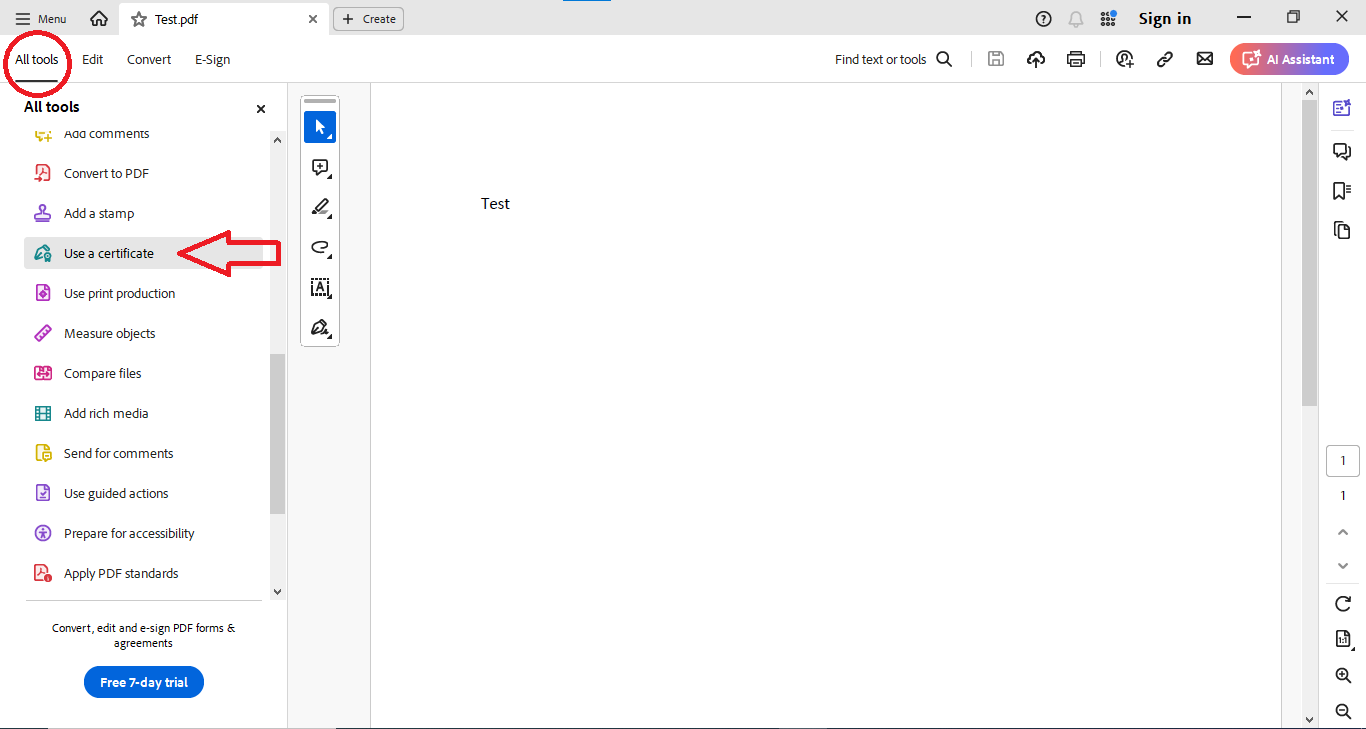
After clicking on Use a certificate, select Digitally sign and drag your cursor to wherever you want to attach your digital signature.
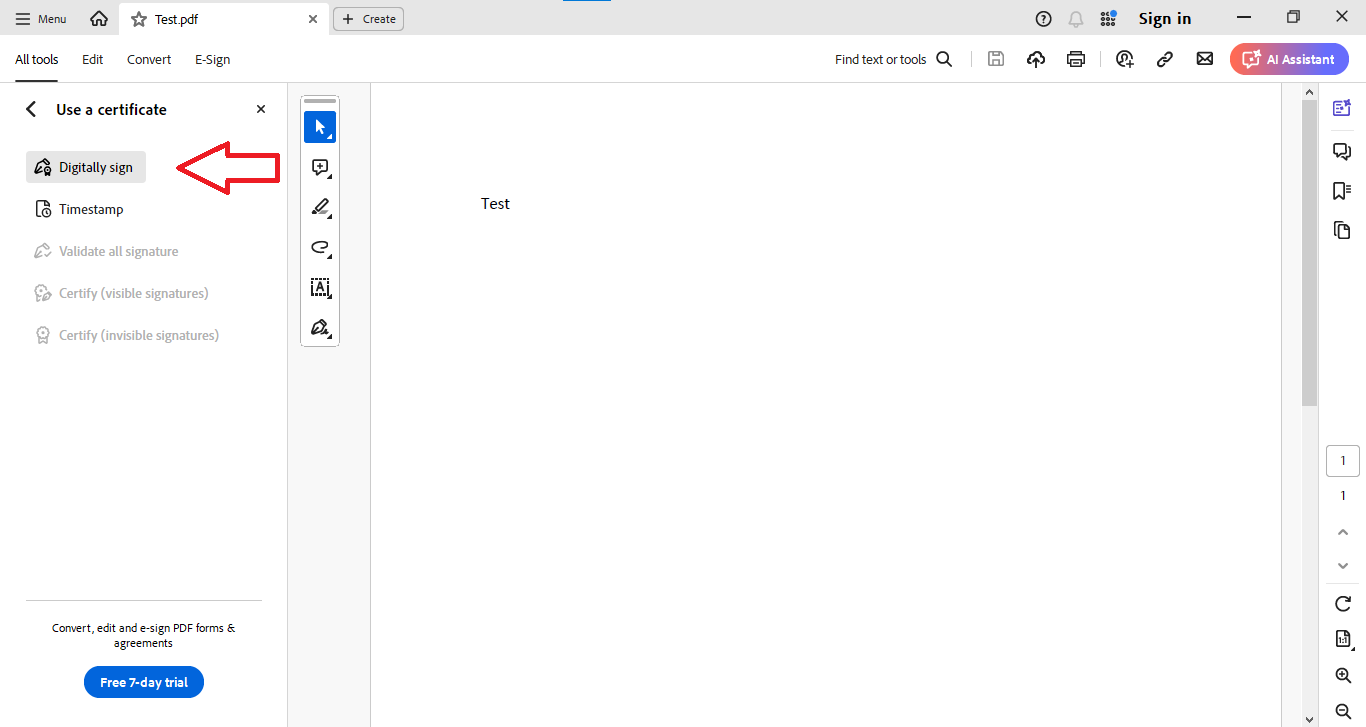
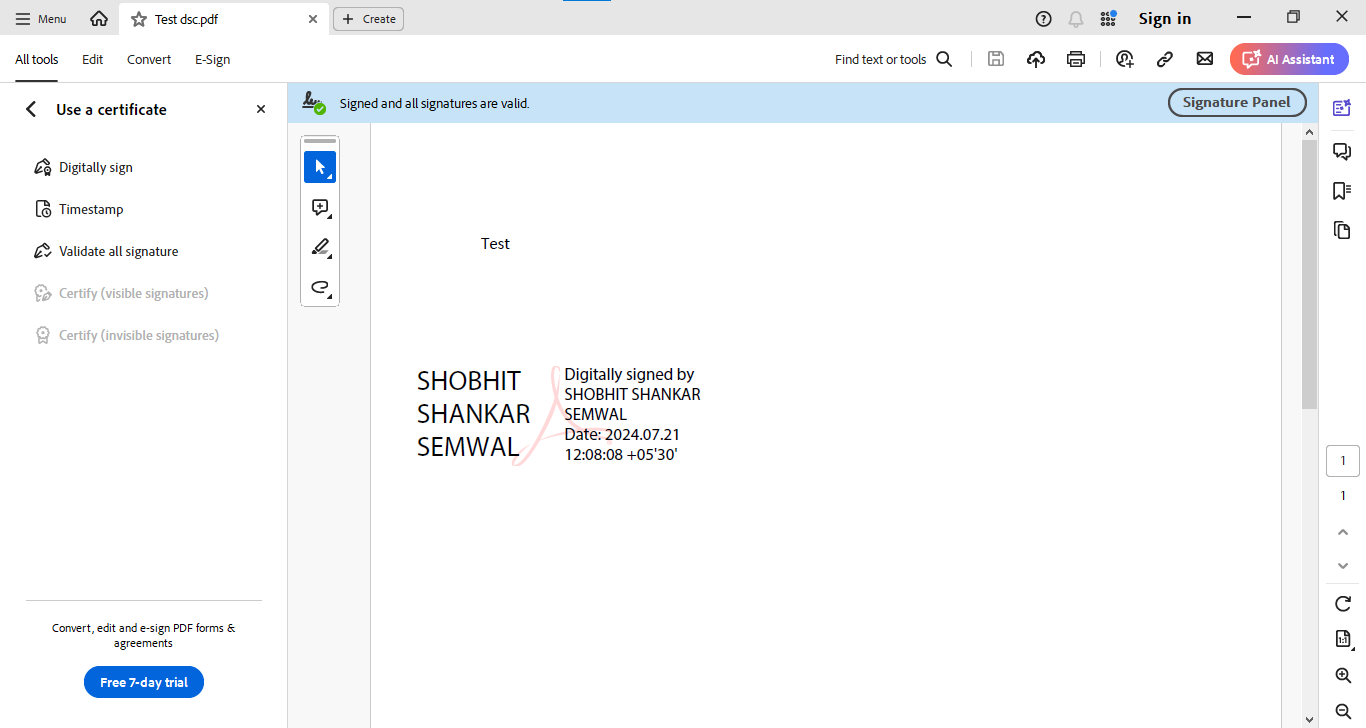
If your certificate name is correct, click the continue button, specify the path where you want to save the file.Your digital signature process is now completed.
For WD PROXkey MAC driver :- https://support.cryptoplanet.in/downloads.php
WD PROXKey installation artcile for MAC :- https://knowledge.cryptoplanet.in/article/token-driver-installation-mac-os/
